Kaleidoscope and erase in PSP
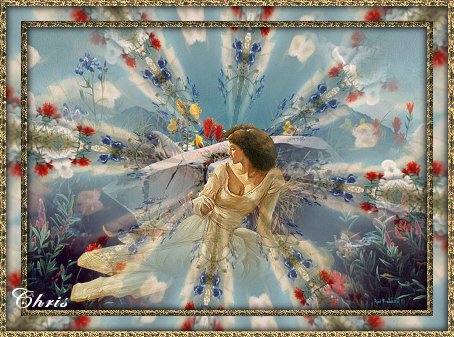
This is a mini tutorial on how to use the kaleidoscope effect and the erase tool in layers to make a neat graphic ,the way I do it anyway. this is soooo simple, but I really like the effect...
Choose a graphic and copy it and put the original back. Then choose one or more tubes and place on the graphic, either by copy and paste selection or if you use layers, when you are done, merge, all layers visible. This will be your background and now copy and paste this background to new layer.(Go to Chris's mini tut2 directions)
TIPS..... 1.Depending on the graphic, sometimes the numbers have to be made lower or the petals less for the effect you want when using the kaleidoscope effect..2. if you copy your graphic before you frame it, you can paste it into the frame, which is what I did..3. For more fun, you can duplicate and copy and emboss a copy of your bottom graphic after you have added your tubes, and then erase some of that layer as well...its limitless, you could edge glow(psp effect) etc. a copy as well and just keep going between layers to erase here and there or down to that layer...have fun, I've had a ball trying out different effects on this....
Beginner directions here.... 1. open graphic in psp 2. duplicate, close original 3. add tubes to your graphic 4. copy graphic(and tubes) then paste to new layer so now you have layer one graphic and tubes.. layer 2 your copy 5. on layer 2 you apply kaliedoscope to this second layer 6. now you use the erase tool and do a quick click here and there to uncover what is underneath...(i click in the middle and then on the corners, or where I have put the tubes(which I can tell by lowering the opacity) 7. now you merge both layers together and add a frame of your choice...
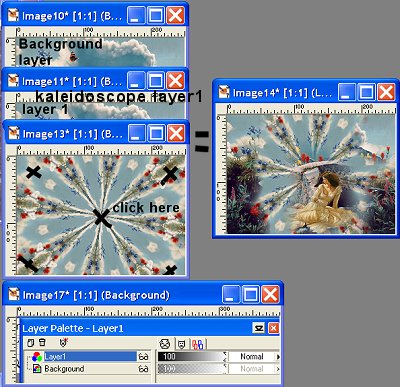
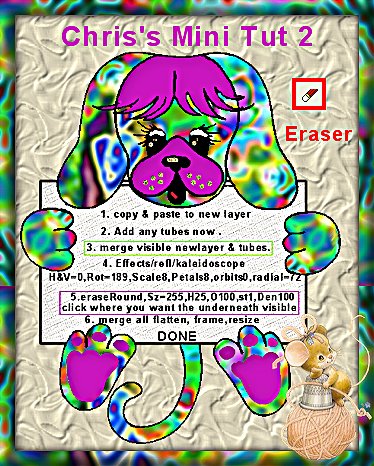 right click, then copy
and paste onto psp screen and follow the numbers...this way you can see next to what you are
doing what is next and how to go about it...
right click, then copy
and paste onto psp screen and follow the numbers...this way you can see next to what you are
doing what is next and how to go about it...
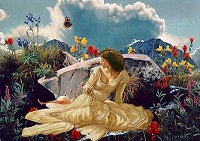 here is a thumbnail of where I put a tube
on the graphic
here is a thumbnail of where I put a tube
on the graphic
Here are some samples of this effect...
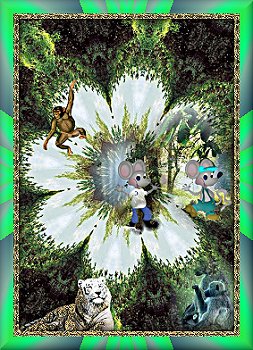
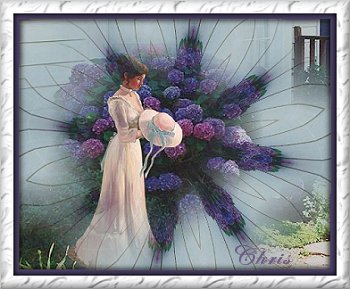
I hope this shows you a little bit more about what psp and layers can do.

All rights reserved.